Log Analysis Challenge 3 - ADpocalypse
Prompt
Liber8tion might be hopping around in a local company’s AD domain. Can you trace their steps? Note: You need to answer the first question to see the next. There are a total of 8 questions.
Answers
Q1 (10 pts) - What is the TargetUserName of the account that shows unusual logon activity?
mnguyen
Q2 (10 pts) - What authentication package was used in the suspicious login?
NTLM
Q3 (20 pts) - What is the exact timestamp of the first powershell event performed by the user account after the suspicious login?
Format: “%Y-%m-%dT%H:%M:%S.%fZ” 2026-04-07T14:14:16.052004Z
Q4 (10 pts) - Which host processed the suspicious account’s replication request?
DC2.cityinthe.cloud
Q5 (10 pts) - What sensitive AD object was targeted in the replication request?
krbtgt
Q7 (10 pts) - What GUID corresponds to a permission that allows extraction of password hashes?
1131f6ad-9c07-11d1-f79f-00c04fc2dcd2
Q8 (20 pts) - What is the TargetLogonID of the first likely benign login of the compromised user AFTER the suspicious login?
0x261cd
Steps I Took
Q1 — I looked through the security logs and found that mnguyen was the only user logging in from an external IP address.
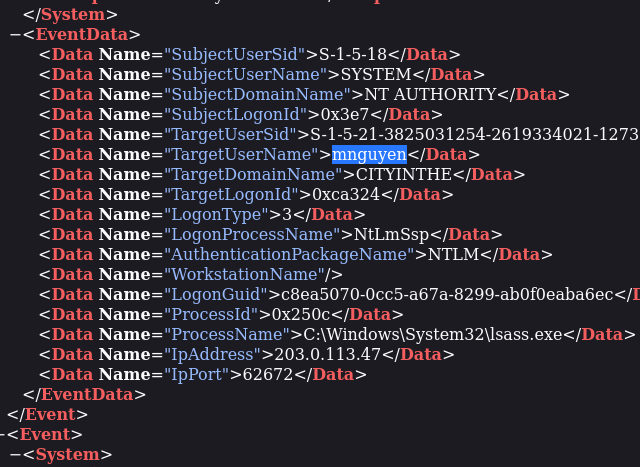
Q2 — I found this answer in the same event record as the unusual login.
Q3 — I took the timestamp from the suspicious login, then searched the PowerShell logs and backed up until I found the first matching event.
Q4 — I started by searching for replication, which returned nothing. I shortened the search to Repl, and that surfaced the relevant entries.

I then verified that the event was related to replication.
mnguyen was the only user tied to that activity.
I first entered DC01, but that was incorrect, so I checked the security logs again and found three related entries.
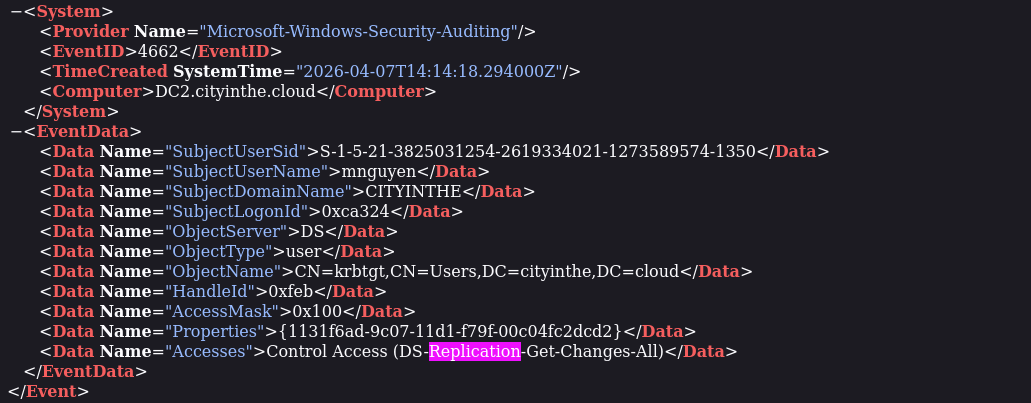
Those entries pointed to DC2.cityinthe.cloud.
Q5 — I returned to the PowerShell log and checked for the targeted object.

Select-Object SamAccountName showed krbtgt.
Q6 — I searched for krbtgt in the security logs and found it in five separate events, indicating that the user generated five replication events.
Q7 — I used documentation to identify the permission name first.
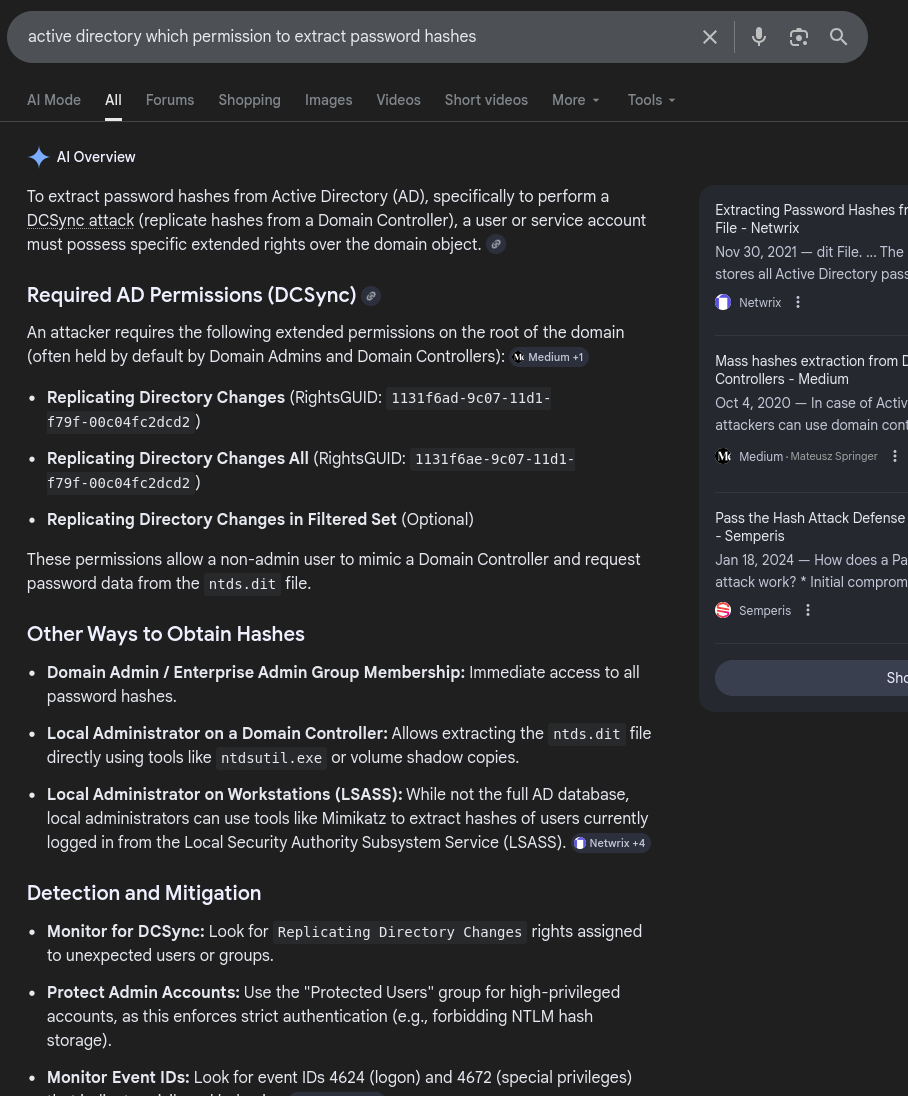
After identifying the permission name, I searched for it in the security log.

Q8 — I started by finding the suspicious login in the security logs and noting the EventID.

I then moved forward until I found an EventID 4624 entry with the same IP address previously associated with the account.
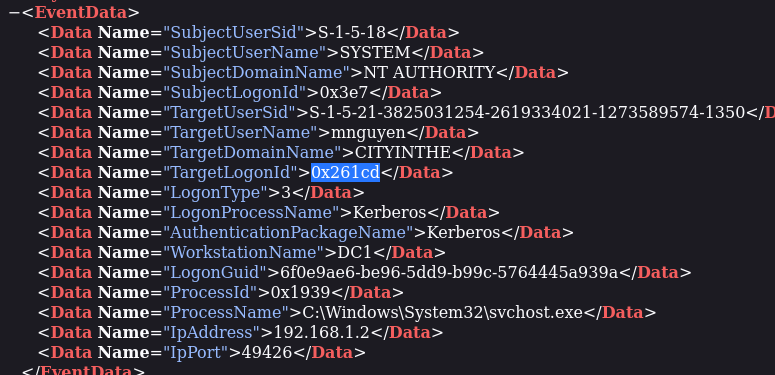
That gave me the answer.